Monday, December 10, 2012

Pre-Hispanic Mesoamerica - 4th Grade


Your next project is to make another presentation (using Google Presentation) to show what you have learned about the ancient civilizations of Meso-America.

Meso-America means the (middle-America, or the region in what is now central Mexico and Central America) Look at this map. All the names are names of nations that once  ruled over different parts of Mexico and Central America.

Your job is to make a Presentation using Google Docs to teach others about that civilization, or group.

Objective: To make a 10-12  slide presentation about a group like the Aztecs, Maya, Zapotecs and research about the food, technology, religion, customs and culture, and daily life of that group.

1. Go to the resources below and find a culture you are interested in, either the Mayas, Aztecs (Mexicas) or other.

2. Read At least four to five articles or pages

3. Start a presentation in Google

4. Make the following slides: 1. cover 2. introduction (where, when) 3. food   4-5 technology and science  6-7 religion   8-9 customs   10-12 daily life


General Resources:

http://www.kathimitchell.com/mesoamericans.htm

http://www.ballgame.org/main.asp?section=5

http://www.kidspast.com/world-history/0274-mayans.php

http://www.besthistorysites.net/index.php/ancient-biblical-history/mesoamerica

http://www.pbs.org/opb/conquistadors/mexico/mexico.htm


http://mayas.mrdonn.org/index.html

http://www.mayankids.com/

http://www.mayadiscovery.com/

Spanish resources:


http://www.mna.inah.gob.mx/

http://bibliotecadigital.ilce.edu.mx/Colecciones/index.php?clave=mayas&pag=2

http://bibliotecadigital.ilce.edu.mx/Colecciones/Colibri/mayas/html/Pag3.php?index=1

Aztec Food
http://suite101.com/article/aztec-food--what-did-the-aztecs-eat-a315203

http://www.aztec-history.com/aztec-food.html

http://library.thinkquest.org/27981/food.html

Mayan Food

http://library.thinkquest.org/C005446/Food/English/maya.html

http://www.discoverchichenitza.com/chichen-itza-mexico/the-ancient-maya-diet/

http://www.sfgate.com/mexico/mexicomix/article/10-Maya-foods-that-changed-the-world-s-eating-2477935.php


Monday, December 3, 2012

5th Grade: Revolutionary Trading Cards

For this project you will show how much you have learned about the people, causes, and events surrounding the U.S. Revolutionary War. You will use this information to create trading cards for famous revolutionary leaders, famous events or battles, and important places of your choosing. You will be using readwritethink to make your cards, but before, you will need to prepare for this by filling out this document that I have shared: https://docs.google.com/document/d/11ZTYLOFCyNHnEo9cklJ6voFVWRxaHxpH96kT5dLuXIE/edit Choose a person: 1. Time Period: When did this person live, or when did the events in this person's life take place? 2. Location: Where did this person live during the important part of his/her life? 3. Role: What was this person's job or role in the revolution? 4. Events: What two important events happened in this person's life? Explain briefly 5. Change: How did this person change during these events? 6. Problem: What problem was this person trying to solve? 7 Goal: What goal did this person have? What where they trying to achieve? 8. Outcome: Did this person succeed? Did they accomplish what they were trying to do? 9. Quote: Pick one memorable thing they said. 10. Action: Pick one thing they did that caught your attention. 11. Interaction: How did this person get along with others? Answer these questions in a doc.

My favorite book

My favorite book

Goosebumps

Goosebumps

Tuesday, October 30, 2012

Create a Graph/Chart

In Kidzone, you can create your graphs, charts using your own data! Today you will start exploring how to do this and then you will use this tool to turn your tally sheets from your Election Poll into beautiful graphs and charts!

1. go to: http://nces.ed.gov/nceskids/createAgraph/

2. You will practice first with the Favorite Sport Poll you conducted.

3. Follow the steps in order to create your first PIE CHART!

 step 1: Choose a design
 step 2: Enter data from your tally sheet. Make sure you pick 4 slices for this pie since you asked about four sports. Then Give it a title. For Source, write your name.
step 3. For each slice enter the name of the sport followed by the value, or number of tally marks you got.
step 4. Labels: change the font and make sure you select value and label.
step 5 preview!

4. After you try this, then you will make more PIE CHARTS for the other polls, starting with "Who are you going to vote for?"


Friday, October 19, 2012

Plans for Monday and Tuesday

Hello 4th and 5th graders!

As I told you, I am out of town for a couple of days. We are going to take a break from the presentations, unless you really feel confident and want to finish early, otherwise, take this time to try out some new learning games with the wonderful sub.

Click on the following links and read the instructions before you play. You don't have to visit all these sites, but give them a shot!

1. Math:Addition and Subtraction practice http://www.bbc.co.uk/bitesize/ks2/maths/number/addition_subtraction/play/


2.  Spelling: Trapped is a game where you have to help the ghost bride throw her flower bouquet at the right suitor with the correct spelling word! 

  http://www.bbc.co.uk/bitesize/ks2/english/spelling_grammar/spelling/play/
  This takes a little while to load. Be patient.


3. Geometry: use the arrow keys to move the blocks to the red spaces. Don't fall off!

http://www.brainpop.com/games/dublox/

4. Sumdog. Pile up! The object of the game is to pile all the objects as high as they can by answering math questions correctly. 

http://www.sumdog.com/student?game=junkpile

5. Science: Guts and Bolts. Learn about the human body in this BrainPop game

http://www.brainpop.com/games/gutsandbolts/


6. All subjects: Freerice.com  http://freerice.com/

Monday, October 1, 2012

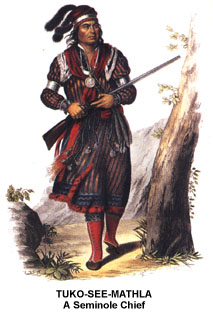
Native Americans Presentation

Hello 5th graders. You are going to make a presentation about the different Native American groups that lived in the United States. You are going to pick one Group or Nation (the same one you got assigned in your class, if possible)


The presentation will include the following sections:

1. Geography: Where did your nation live? what kind of resources are found there?


2. Housing: How did they build their dwellings?

3. Food: What were the main sources of food? How did they obtain these?

4. Culture: What are some things about their culture you learned? Ceremonies, family, fun...

5. Tools and Artifacts: What technology did they use? How did they make these?

6. Religion: What did they believe in? Find a creation story, or a myth.

You can use your textbooks, or online sources in the next couple of weeks. Please bring your work from class so you can use that information in this report.

Sunday, September 23, 2012

Chief Seattle Video

Mr. Kanani wants his students to view the following YouTube video:


Wednesday, September 19, 2012

California Virtual Tour


Hey Fourth Graders!  We are going to start a new project! You are going to make a slide presentation about California's regions. This project will come in three parts:


1. Explore: You will visit various websites to find out and explore California.

http://www.eduplace.com/kids/socsci/books/applications/imaps/maps/g4CA_u1/

http://www.visitcalifornia.com/

http://www.untraveledroad.com/USA/California.htm

http://goldenstateimages.com/catlist.htm


2. Collect: From one region (Desert, Mountain, Central Valley, etc.)  you will collect pictures. You will also write down the names of cities, cool places, climate, land forms and things to see.

3. Organize: You will put your images and texts together in a slide show made with Google apps

3. Present: Show the world what you made!

Thursday, September 13, 2012

Keyboarding!


Today we are going to start practicing our keyboarding skills. We will spend a lot of time this year practicing and getting better at typing. Pretty soon you won't even have to look at the keyboard!


Let's start with a lesson Here: http://www.freetypinggame.net/free-typing-lesson.asp

1. Start the lesson by Pressing START

2. When you are finished, try the  next lesson. Your goal is to reach 15 words per minute at this stage.

3. Try at least 5 lessons before you move on this game: http://www.freetypinggame.net/play17.asp

Monday, September 10, 2012

FREE RICE!

Freerice.com is a great way to practice and improve your vocabulary skills. It also has other practices from Math to Geography. You can even practice French and German!


Each time you answer a question correctly, the United Nations donates 100 grains of rice to the poor and starving people of the world.
Go to Free Rice, try the English Vocabulary.

1. Play for 10-15 minutes until you get 1,000 grains of rice.
2. Post your best level as a comment on this site. Remember, use a web safe name.
3. Try another subject.
4. If it is too hard, change the level to 1. 
3.

Monday, September 3, 2012

Find your standards!

We will be working with our new Common Core Standards for technology form now on, so it's best to get to know the standards for your grade. Click on the link below and you'll find a slideshare page. It's like a slideshow, and many of you will learn to make them. http://www.slideshare.net/lhuff/ccss-technology-k12

When you are don't copy and paste them below!

Welcome!

Hello, Welcome to Computer class! My name is Francisco Nieto Salazar. We are going to do all kinds of activities in our lab this year to help you improve your knowledge of computer technology. Before we begin our class, I would like to see what you already know about computers, so please fill out this Google Forms below.